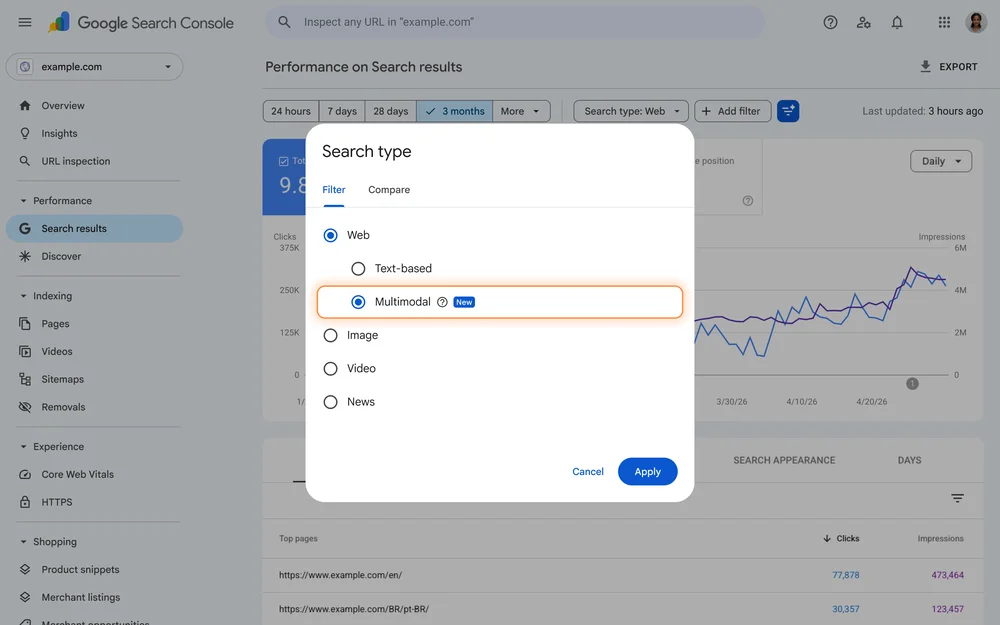
Google has recently introduced a new Generative AI features report in Google Search Console (GSC). This report, which is part of the broader Search results report, allows website owners to see how their pages are performing across AI Mode and AI Overviews.
Now that we’ve had access to this feature for a while, let’s talk about how it works and how it could play a role in your SEO strategy.
Who can access the Generative AI performance report?
As of September 2026, the report is active for all websites that can appear in Google’s generative AI responses. The report rolled out over a few months, so the data’s starting date differs by website.
But regardless of whether or not you could access the Generative AI performance report before September, the same data is still in your overall performance report—just not separated—so if there were any big spikes in impressions before, it was likely from a gen AI-related anomaly.
You can exclude your website from Google's Search generative AI features entirely. This won't affect your ranking signals in regular SERPs, but it will make your site less visible to the increasingly growing market of users who primarily use AI for research, so we typically don't recommend it.
How to access the Generative AI features report
To access the Generative AI performance report, go to your Search results performance report and click on the drop-down.
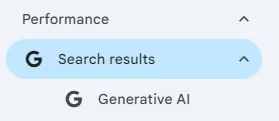
Google Search Console AI report
The report shows your search generative AI performance starting from around May 2026. It displays impression data for pages, countries, devices, and days.
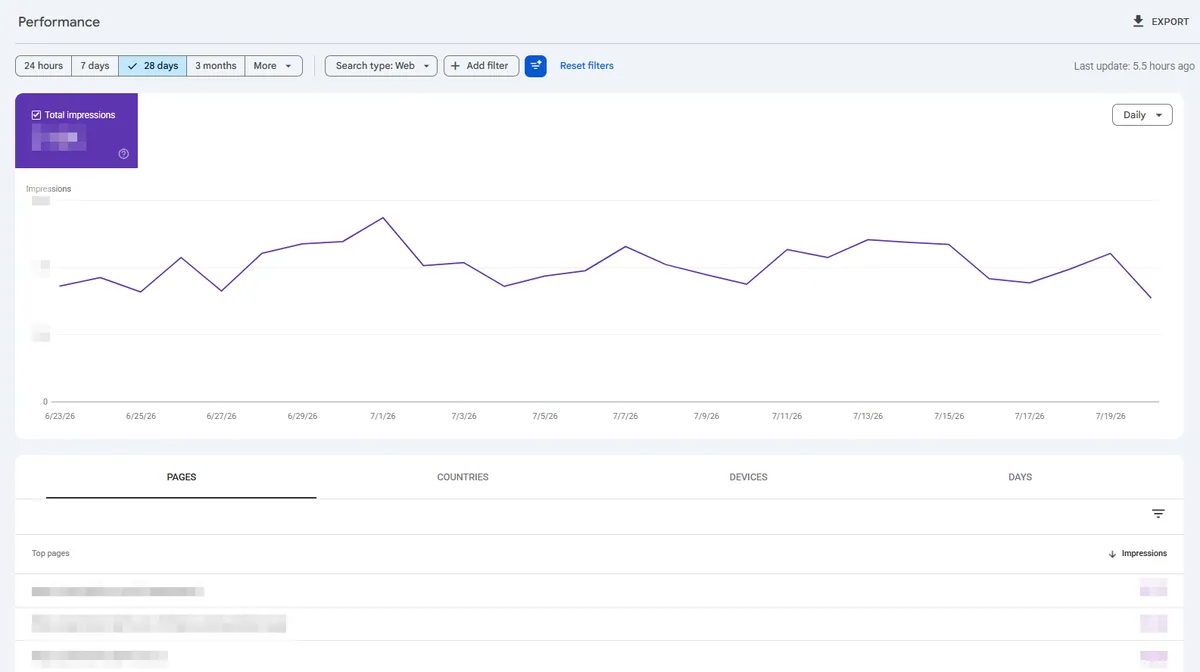
It doesn’t display click data or query data. While this could be due to privacy concerns, AI Mode actually breaks down conversational queries into multiple queries that appear in the GSC Search report, so you probably wouldn’t see someone detailing the specifics of their family situation before asking for wedding planning ideas anyway.
How can website owners use the new Generative AI search features report?
Seeing ‘true’ impressions in GSC
The Generative AI features report gives site owners a better idea of where users are coming from.
You can subtract the Generative AI impressions from the regular Search result impressions of the same URL in the same time period to learn how many ‘true’ impressions the page has received from standard search results. Although this doesn’t provide additional insight into impressions per query, it gives you an overall understanding of whether a page is appearing in search results or if most impressions are from AI-driven visibility.
To easily compare impression count across URLs:
- Export your Search report and Generative AI search features report in GSC. Make sure the date range is the same.
- In the Search report, delete everything aside from Pages. In the Pages spreadsheet, delete all columns except URLs and Impressions.
- Add a new sheet and name it PagesAI. Then copy and paste the Pages data from the Generative AI report.
- Sort both sheets alphabetically.
- Add a new sheet, then paste these formulas into Column A, B, and C:
=FILTER(Pages!A:A, COUNTIF(PagesAI!A:A, Pages!A:A)>0)=FILTER(Pages!B:B, COUNTIF(PagesAI!A:A, Pages!A:A)>0)=VLOOKUP(A1:A, PagesAI!A:B, 2, FALSE)
- In Column D, subtract the PagesAI Impressions from the Pages Impressions with
=B1-C1 - You should now see the ‘true’ impression count for all URLs.
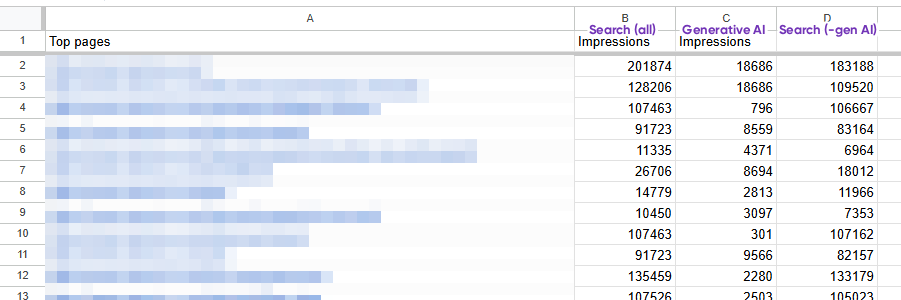
You can also see what % of impressions come from generative AI with =C1/B1
Understanding location-based AI results
As with regular Google Search, the results that appear in AI Mode and AI Overviews are based on the user’s location. By using the ‘countries’ tab, website owners can find out if there are any pages appearing at an unusually high rate in particular locations.
If your product serves an international market, this can springboard into a bigger investigation that helps you understand what audiences are seeing in Google, beyond basic search results.
If you want to test AI Overviews results across different locations, you can use a tool like Mangool’s Google Location Changer.
Optimising your site beyond on-page SEO
One of the big things we’ve seen with generative AI chatbots is that they don’t just care about hyperlinks, but also text-only brand mentions and non-hyperlinked URLs.
For instance, in the past, you might have set a 301 redirect from A to B. Google would understand that A had been permanently moved and remove it from SERPs, even if other web pages still linked to it.
But now, the Generative AI report reveals that Google can still display A in AI Mode and AI Overviews—even though A doesn’t appear in the regular search results. It seems like this can happen if other websites still link to old versions of the web page, including non-hyperlinked URLs.
While this isn’t a big issue if your redirects are set up correctly, it could complicate user acquisition tracking and other analytics. So if you want to ensure users see B instead of A, you’d have to reach out to the third-party sites to change the listed URL (you can search for mentions of your broken URL with “double brackets” in Google Search).
While this is quite a direct example, it shows how third-party sites can impact how your web pages appear in AI Overviews and AI Mode—and how AI may affect what websites users see beyond traditional on-page SEO and backlinking.
Get on top of generative AI
Google’s push for generative AI, along with the rise of other AI models like ChatGPT, is causing a major shift in how businesses approach SEO. Google Search Console’s Generative AI features report provides more transparency into how it all works.
If you’d like to learn more about developing an AI-ready SEO strategy for your business, contact Search Republic. As an Auckland-based digital marketing agency with over 13 years of experience, we help our partners stay ahead of changes in the search marketing landscape.
Featured image credit: Google.com
Charts/data are edited for privacy.
FAQs
What makes a site appear in Google’s AI responses?
We’ve found that there are two factors that make it more likely for a site to appear in Google’s AI responses:
- Your website represents a well-known brand that third-party sites often link to or discuss
- Your website focuses on producing useful content that is likely to be sourced in generative AI results (tutorials, guides, reviews, etc.)
Does the GSC Generative AI features report include Gemini responses?
No, the report focuses on Google Search generative AI features, which Google lists as: AI Overviews, AI Mode, and Generative AI features in Google Discover.