Google has now added Platform Properties to Google Search Console (GSC) for all users.
This feature lets you see how many clicks and impressions your social media content gets from Google Search, Discover, and News. At the moment, you can add your Instagram, TikTok, X (Twitter), and YouTube accounts.
In this guide, we’ll explain how to add your social and video platforms to GSC, and how this could play a role in your digital marketing strategy.
How to add a social media property in Google Search Console
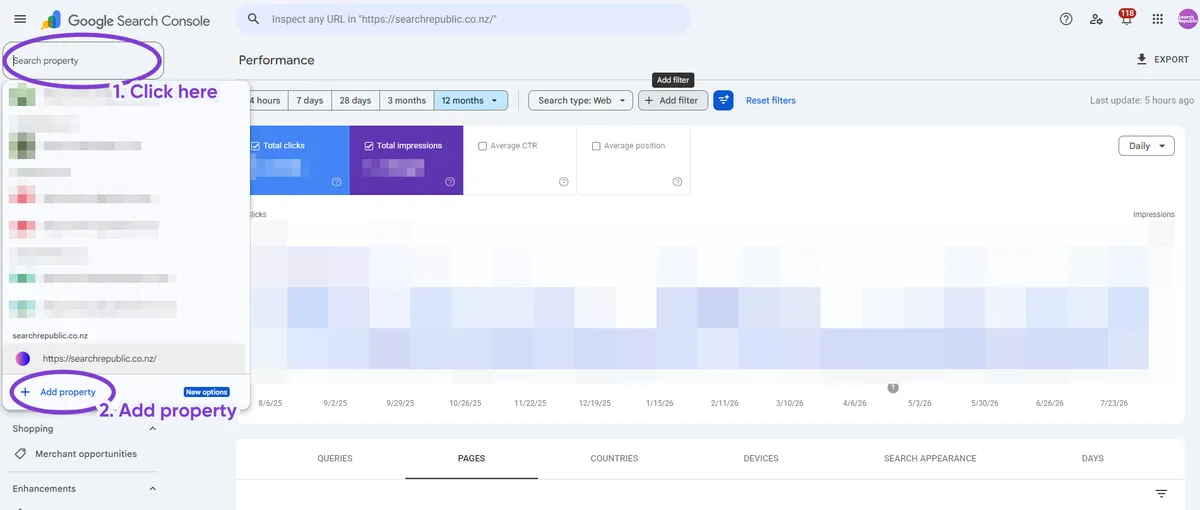
On the Google Search Console page, click on the property drop-down in the top left and then click ‘Add property‘.
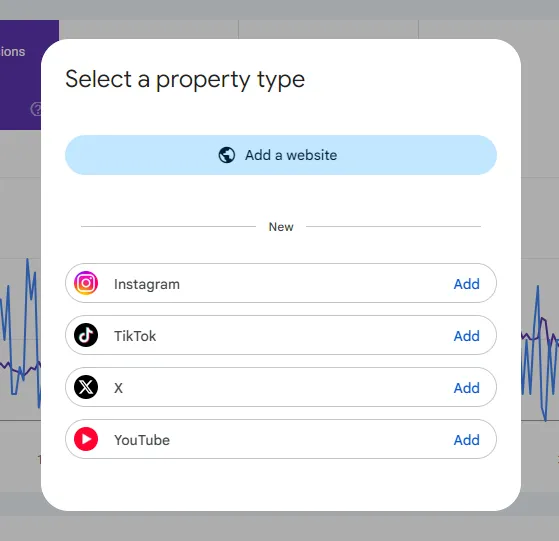
You can now choose to add an Instagram, TikTok, X, or YouTube property. In this example, we’ll add an X property. After selecting ‘Add’, you’ll be taken to the login screen. Sign in and authorise the app to verify your account access.
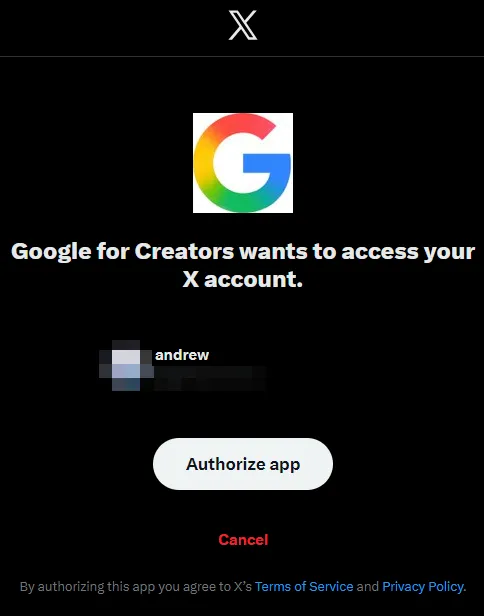
Once you authorise your account, it will take up to 48 hours to process the data. Google only starts collecting search performance data from the date that you add your property, so be sure to add it as soon as possible.
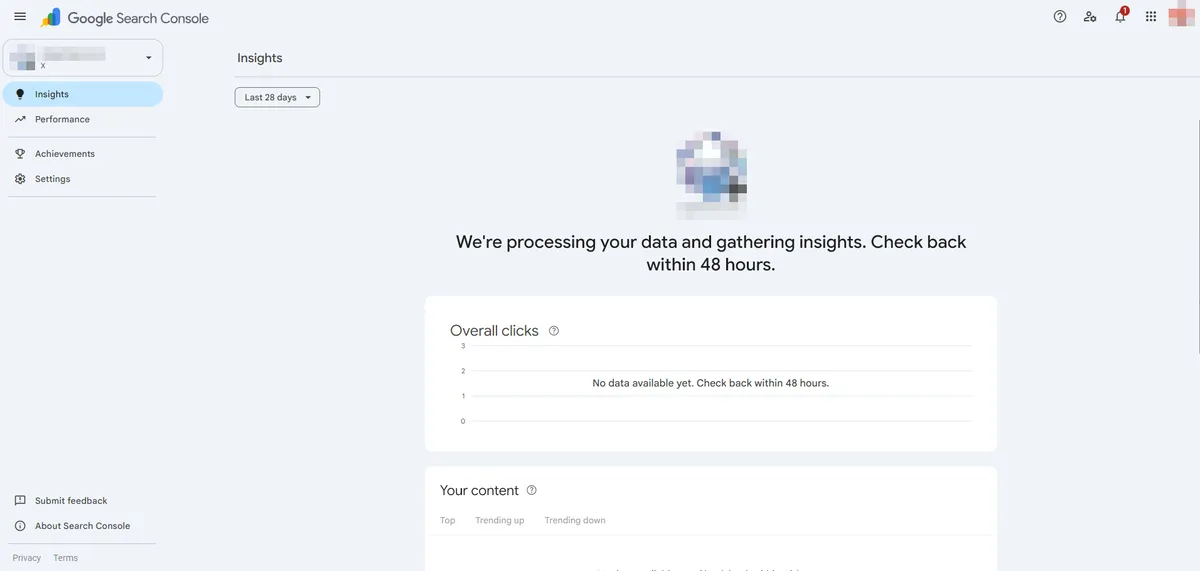
The GSC social media property report is essentially the same as any other Google Search Console Performance Report; you can view clicks and impressions for queries, posts, countries, devices, search appearances, and days. This report only tracks how your content performs in Google Search. It doesn’t record any internal site analytics.
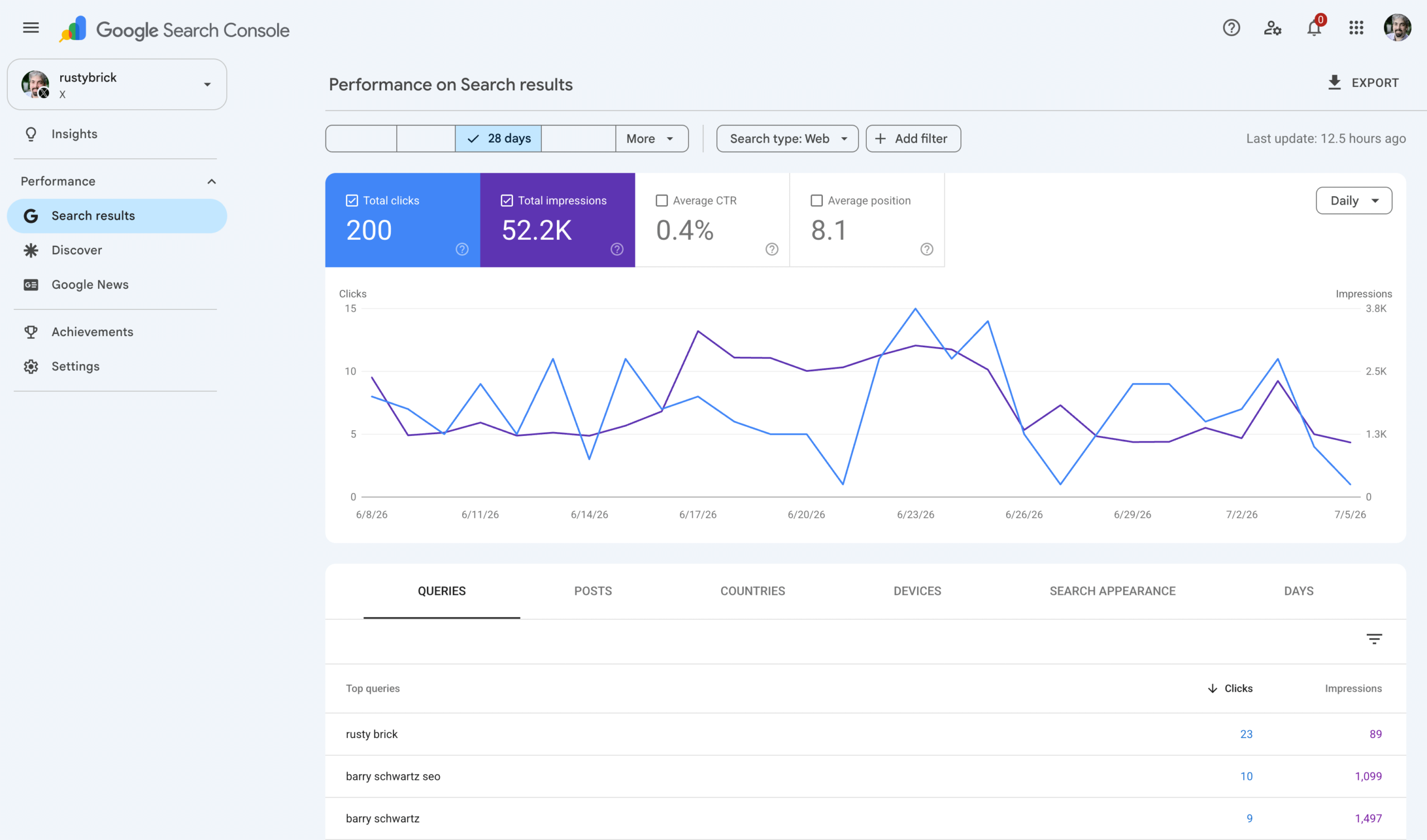
Image credit: Barry Schwartz
How to add YouTube to Google Search Console
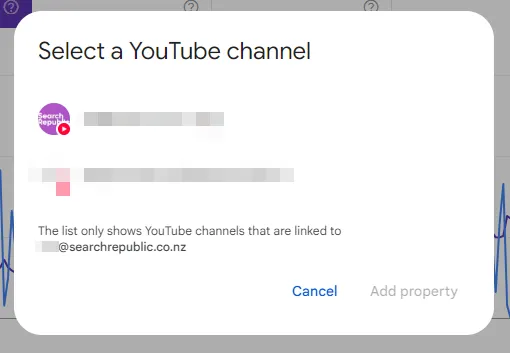
You can add a YouTube account through the Add Property popup. Unlike the other social media platforms, you can only connect to a YouTube account associated with the Google account you’re logged into. If you need access to someone else’s YouTube GSC property, they’ll have to add you as another user.
Can you add multiple social media properties?
Yes, you can add multiple social media accounts from the same platform. So if your company operates various YouTube channels, or if you are a digital marketing company managing different clients, you can add as many social media channels as you need.
Google Search profiles
If you have a Google Search profile set up, you should already have access to social platform data within GSC. Search profiles are a new feature for prominent digital content publishers, limited to users with over 10,000 followers on X, Instagram, YouTube, or TikTok. Google Search profiles are currently only available in the US.
How to add other users to your GSC social media property
Once you’ve authenticated your social media property on your own GSC account, you can share the property with others, just like you can share a regular website property. You should use this method for employees or external agencies who don’t need direct access to your social media channels.
In the sidebar, click on ‘Settings‘, then go to ‘Users and permissions‘.

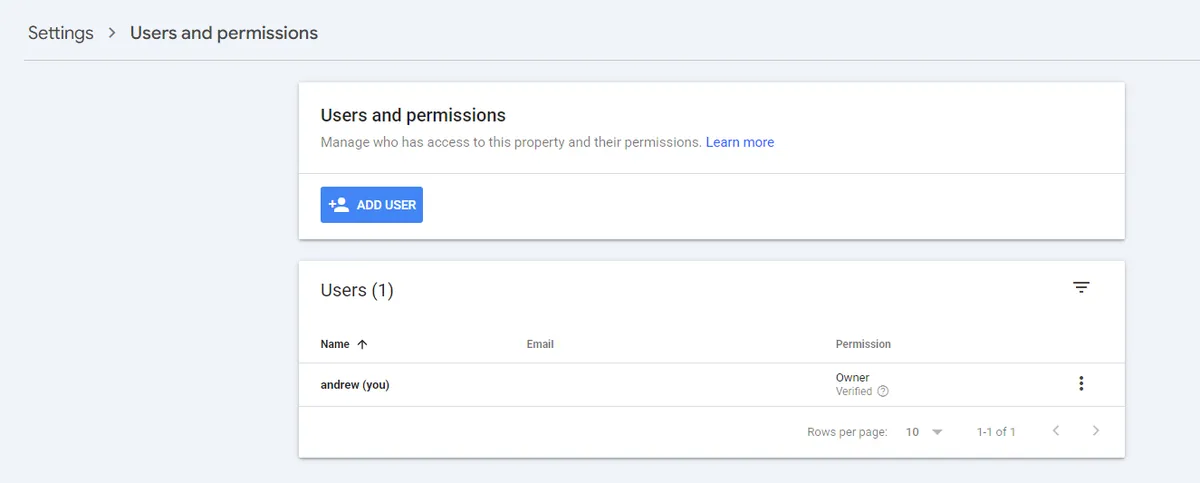
Click ‘Add user’. You should then see a pop-up to enter an email address and permissions.
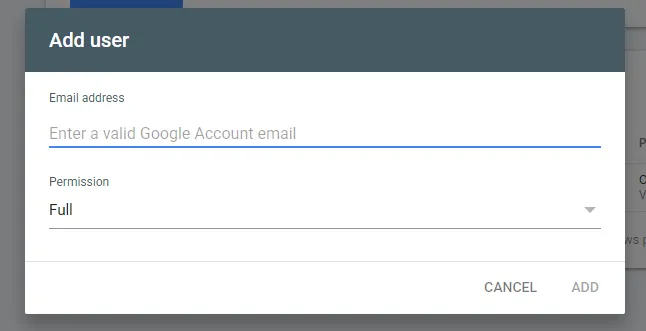
You can choose between ‘Owner’, ‘Full’, and ‘Restricted’. According to Google:
- Owner: Has full control over the property. They can view all data, use all tools, configure settings, and add and remove other users.
- Full user: “Has view rights to all data and can take some actions.”
- Restricted user: “Has simple view rights on most data.”
How might Google Search Console Platform Properties affect digital marketing?
Traditionally, Google has only given users insight into the performance of websites with domains that they directly own or subdomains to which they can add a verification HTML tag (such as Tumblr or BigCartel). Allowing users to access Search analytics for mainstream social media sites is a pretty exciting change!
While Google has shared some tips on using Platform Properties reports, here are some other ways the new social channel reporting could play a role in digital marketing:
Keyword-targeted and text-based social media content
Organic social media marketing emphasises short-term virality, relatability, and interesting thumbnails. I think that the new reporting tools will open up more opportunity for longevity—content designed to be found through Google Search rather than the website’s own search features.
Businesses might better understand how Google drives an audience to their social channels, and start making posts with more keyword-targeted titles, more specific alt images, etc., essentially like ‘SEO content optimisation’ but on another platform.
I expect this will be especially relevant for video content platforms (YouTube and TikTok), as they can host informative content that typically wouldn’t be hosted directly on the business’s website, like how-to guides or short-form tips and tricks.
Although Platform Properties could help your social media content improve its presence on Google, we still recommend on-site content optimisation, as pages that are performing well can help uplift other pages under the same domain, i.e. your website.
Gain greater insights for your website SEO content strategy
Like regular GSC properties, Platform Properties support Insights reports. This gives you an overview of how your social and video content is performing on Google, including recent traffic trends for posts and search queries.
You can use the Insights report to help find content marketing ideas for your main website. By understanding what keywords your social and video content is appearing for, you’ll be able to identify your website’s potential content gaps.
The Insights reports can also help you spot trending topics, which you can use for cross-promotion across your social channels.

Image credit: Google
Google marketing for small creators and microbusinesses
In the social media age, fewer businesses have their own website as it requires greater upfront cost and maintenance. This is especially true for small mom-and-pop stores and individual creators who conduct their entire business through TikTok or Instagram.
Of course, we always recommend having your own site, but if you don’t, the new GSC reporting tools could help you optimise your social content for visibility off-platform. This is especially important as most social media platforms don’t allow non-users to use on-site searching functions.
I’ll use my own experience as an example. A couple of years ago, I was looking for a thrift bundle seller through Google. I wasn’t getting any useful results, even though I knew such services existed in New Zealand.
It took wading through TikTok and Instagram, neither of which I typically use, to find many NZ sellers that provided the service. These sellers do it for fun, so they aren’t going to pay to make a full website. They aren’t optimising their social media page for Google either because there’s no clear benefit to it.
But what if they could see how Google brings them clicks, and for what queries? They might change their username to include the term “thrift bundles NZ” instead of store name alone, or create a TikTok with a caption that specifies their country or city.
Basically, the new GSC reporting tools make ‘organic Google Search marketing’ much more accessible to microbusinesses and organisations that don’t have the resources to make or maintain a website, e.g. small sellers, artists, bands, sports clubs, community events, clowns, etc. That’s also relevant for bigger brands that may operate social accounts for limited-time events or location-specific accounts.
Stay on top of Google’s updates
Google is continuously introducing new updates to its Search and reporting tools, including the recent Generative AI features report that lets you see how your website is performing in AI Mode and AI Overviews. For more Google updates, check out our digital marketing and SEO news blog.
If you’d like to discuss your digital marketing strategy some more, get in touch with Search Republic. We’ve helped businesses grow since 2013 with our PPC and SEO services in Auckland, New Zealand, and beyond.
Featured image credit: Ingmar