Ask most business owners what makes Google Ads work and you’ll hear the same answer: picking the right keywords.
Only a few years ago, that was largely true. Keywords still matter and we still choose specific keywords carefully, but Google now has far more say.
Looser keyword matching and AI Max mean Google decides more of which searches your ads show for, as well as how much to bid and which headlines people see. That shifts where the biggest gains come from.
Alongside good keyword selection, the most important thing is now your Google Ads conversion tracking.
What is Google Ads conversion tracking?
Conversion tracking is how Google knows what a good result looks like for your business.
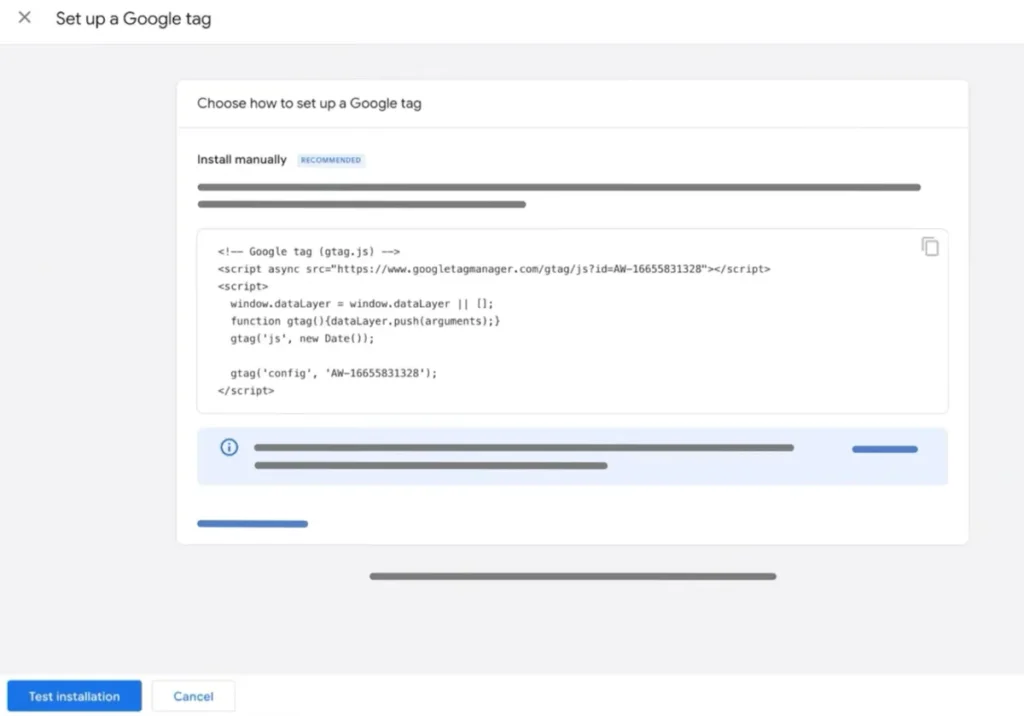
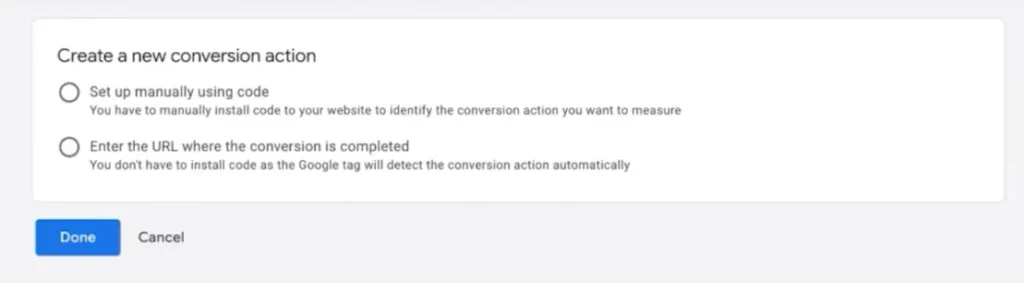
By adding a tracking code snippet to your website, Google can record when someone completes an action you have defined as valuable, such as a purchase, phone call, or form submission. Each defined action is a conversion, and it’s how Google sees which ad clicks lead to results.
If the conversion tracking is missing, broken or measuring the wrong thing, Google’s automated decisions can end up built on bad information. Good keyword selection can’t make up for that on its own.
Why does conversion data matter for Google Ads?
Every time an ad click leads to a desired action, Google takes note. It looks at signals like what they searched, the device they used, where they were, the time of day and many more. Then it looks for more people who are likely to do the same.
That’s the engine behind Smart Bidding (Google’s automated bidding), Performance Max (ad campaigns that run across all Google platforms from one setup) and AI Max (which widens the searches your ads can show for).
So Google isn’t trying to get you customers, it’s trying to get you more of whatever you’ve defined as important. Tell it the right things and you’re both chasing the same goal of finding more customers. If you haven’t, Google can end up chasing the wrong result very efficiently.
5 common Google Ads conversion tracking mistakes
These are the problems we see most often when we take over a Google Ads account:
1. No conversion value, or the wrong ones
Without a value, every conversion is treated as equally important, so someone spending a minute on your site can look just as valuable as someone requesting a quote.
Google then tends to chase the cheapest, easiest conversions to acquire. It also means you can’t use value-based bidding strategies like Maximise Conversion Value and Target ROAS (return on ad spend), where Google bids based on what a conversion is worth rather than just how many it can get.
2. Wrong count setting
Each conversion action can count “One” or “Every” conversion per click. If you’re generating leads, this should usually be set to One, so someone who makes three form submissions counts as one lead, not three. Purchases should usually be set to Every, because each sale is real revenue.
3. Double tracking conversions
Conversion data can get recorded two or three times if:
- The count per click setting is wrong
- There are technical setup issues in Google Tag Manager (GTM), like duplicate tags or triggers firing more than once
- There are errors on the website itself
- You import conversions from your Google Analytics account (the same conversion can then be counted twice, causing duplicate events that inflate your numbers)
4. Not enough conversion tracking data
Many accounts track only one main conversion, like a purchase or a quote request. It seems sensible to only count what you really want. But when you check how many conversions your campaigns record each month, they often don’t have enough data to give Google a clear picture of what’s working.
As a rule of thumb, Google suggests at least 30 conversions in a 30-day period for each bidding strategy, which, for most accounts, means each ad campaign. Tracking some or all of the other positive actions on your website, weighted with lower values, gives each campaign more to learn from.
5. Silent breakages
A website update, a new form plugin, a changed landing page URL or a cookie banner change can quietly stop tracking, or cause missing tags on key pages. When that happens, Google loses that signal and performance can slide without anyone realising why. Even without one big change, conversion tracking that isn’t checked and maintained often drifts over time until it’s partly broken or no longer accurate.
The hard part is that none of these tend to show up as an error. Your dashboard still shows conversions, conversion rates, and a cost per conversion. The numbers just may not tell the full story, and Google keeps optimising towards them.
3 ways to improve your conversion tracking
1. Track every positive action on your website
We like to track every positive action someone can take on a website. That can include purchases, quote requests, demo requests, phone calls, and app installs, right down to a brochure download, a newsletter sign up or a visit to the contact page.
More conversion tracking gives Google a better understanding of what someone who engages with your website and shows real interest looks like. It can then pursue the people who are more likely to take more positive actions and engage more deeply.
2. Weight each action with a conversion value
Actions that lead directly to revenue, like purchases, bookings or phone calls, get the highest values. Smaller signals like newsletter signups or time on key pages get low values, so Google knows they’re a good sign but not the end goal.
The values themselves are fairly arbitrary. What matters is the percentage difference in value between them, so Google knows how much more valuable you consider one conversion compared to another. For example, if a quote request is set at 100 and a brochure download at 5, Google knows the quote request is worth 20 times more to you.
You don’t need to get conversion tracking perfect from the start. Begin with your best judgement of what each action is worth, then adjust the values over time based on how each one actually contributes to your marketing goals.
3. Keep an eye on your Google Ads account
Keeping conversion tracking accurate takes ongoing work, and it’s easy to let it slide. Regular conversion monitoring helps you catch issues early.
Be vigilant after any website change, no matter how small. Thoroughly test every conversion action to make sure it’s still recording correctly.
Between changes, keep an eye on the numbers in your conversion reporting and website data. Check that every conversion action still has data coming through, and investigate straight away if anything drops off significantly.
How to check your Google Ads conversion tracking health
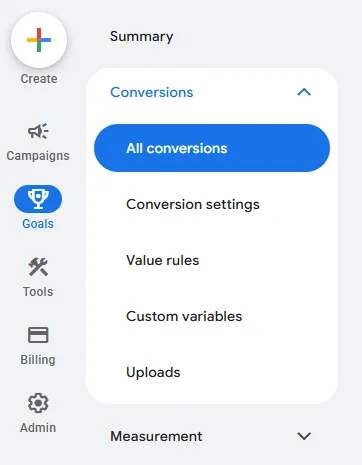
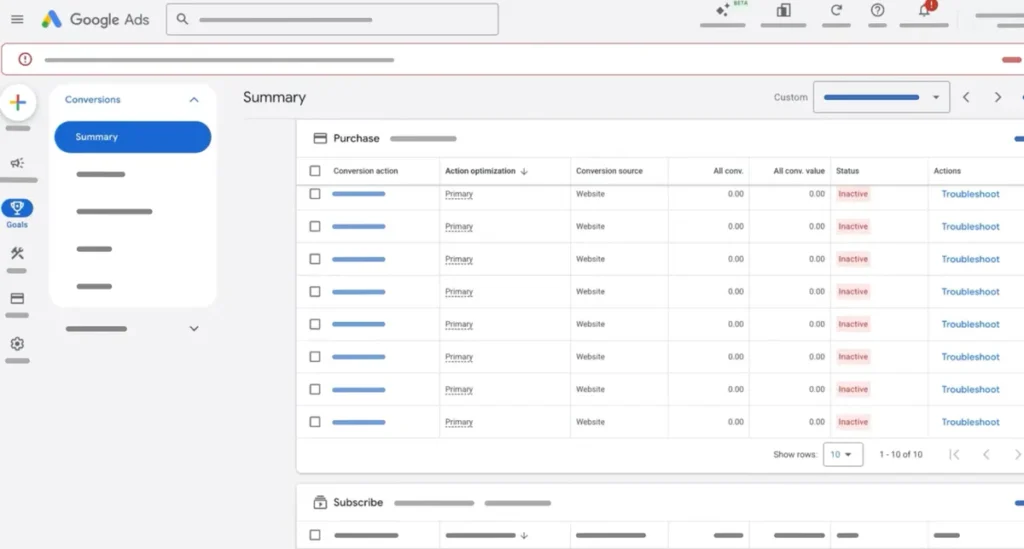
Open your Google Ads account, go to Goals, then Conversions, and take a quick look.
Start with the list itself. Each conversion action should have a clear name that tells you exactly what it records, like “Quote Form Submission” or “Calls from Website” rather than “Conversion 1” or “Submit”. You should also know which ones lead directly to a sale and which are smaller signals.
Next, check the conversion values. Your most valuable actions should carry the highest values, with smaller actions weighted well below them.
Then compare the numbers with reality. Conversions for last month should roughly match the enquiries or sales you actually received. If they’re much higher, something may be counted twice. If they’re well below, something may have stopped recording.
If any of that doesn’t add up, your advertising campaigns may be optimising on incomplete or misleading data.
Is your conversion tracking working for you?
Google’s bidding tools are powerful, but they can only be as good as the data you give them. Keywords, bids and ad copy still matter, yet they all sit on top of your conversion tracking. Get that right and the rest of the account has a stronger chance of delivering better performance.
If you have any question marks over your conversion tracking, big or small, we’d love to take a look. Maybe you’re not sure what’s being counted, the numbers don’t match what you’re seeing in the business, or it’s just been a while since anyone checked.
Get in touch with us for a free, no-obligation conversion tracking audit. We’ll review your setup, tell you what’s working, what isn’t, and what we’d change to give Google better information to work with.