ChatGPT has now launched its Business Hub, which lets businesses manage their profile information and view analytics on clicks and brand mentions. It’s essentially ChatGPT’s equivalent for both Google Search Console (GSC) and Google Business Profiles (GBP).
In this guide, we explain how to claim your ChatGPT business profile, what you can do on the Business Hub dashboard, and why this matters for your digital marketing strategy.
What are ChatGPT business profiles?
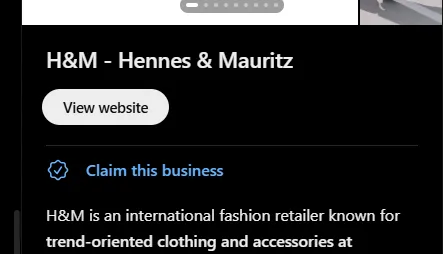
When a ChatGPT response mentions a brand, you can usually click on it to see a sidebar profile with photos and basic business information.
If you’re logged in and the business hasn’t yet been claimed, it will also display a “Claim this business” badge.
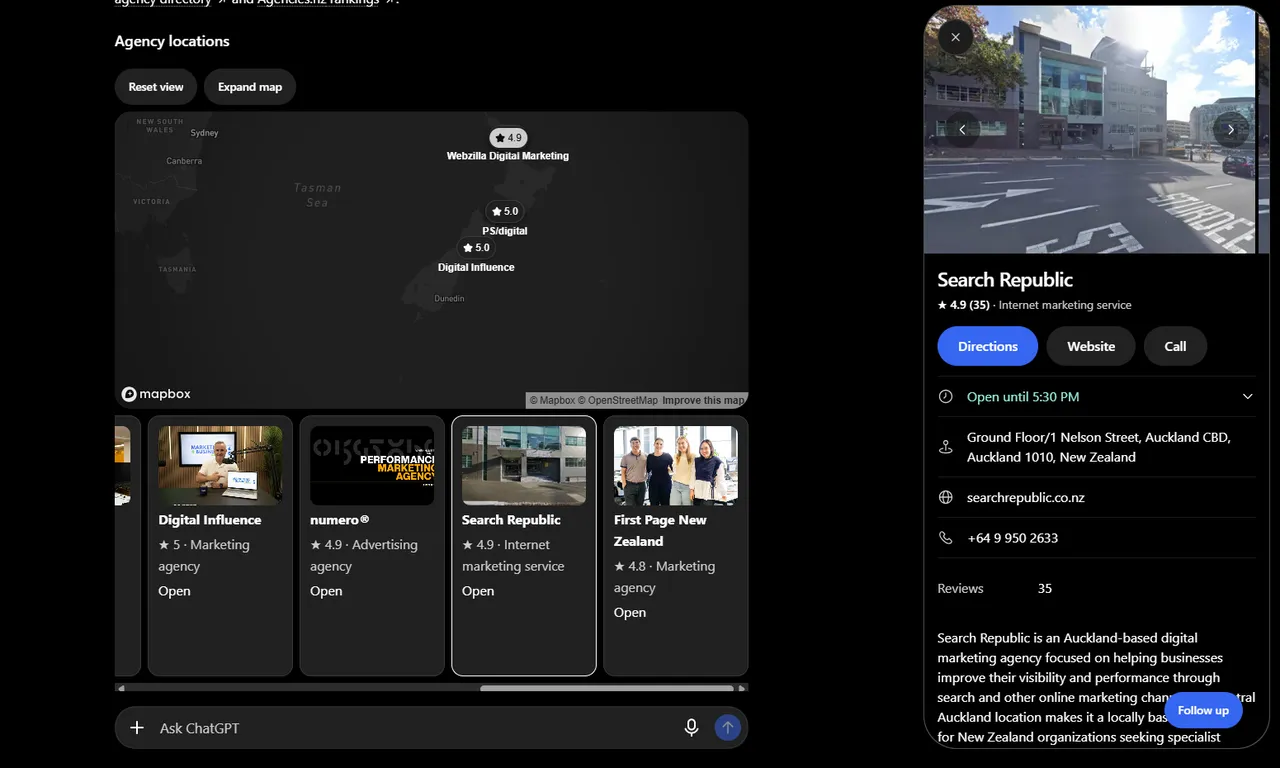
If you’re logged in and the business hasn’t yet been claimed, it will also display a “Claim this business” badge.
How to claim your ChatGPT business profile
To claim your ChatGPT business profile, go to the ChatGPT Business Hub and search for your business.
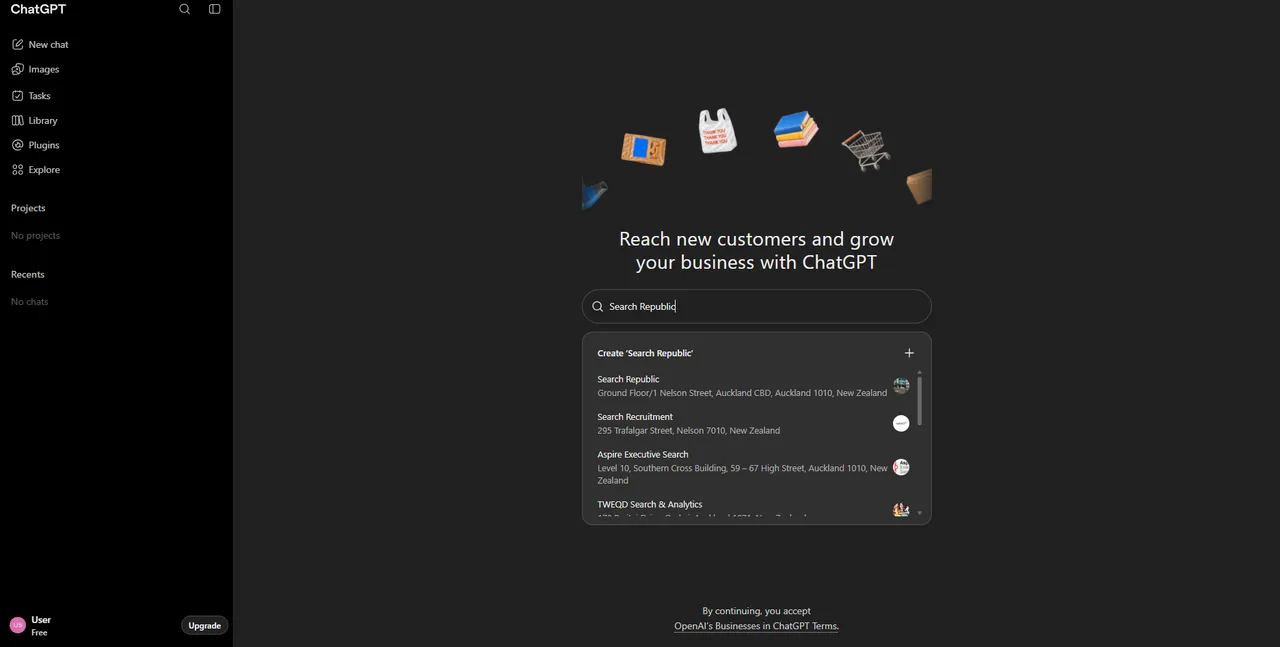
Note: ID verification is not required to claim the business and view analytics, but it is required for some Business Hub features.
Only the Business Hub Owner (the account that claims the profile) can verify their ID, and they currently can’t transfer ownership to other members. Make sure you’re claiming the business under the correct ChatGPT account.
If your business is already on the list
Click to claim it with your phone number or DNS records.
If claiming by phone, you need to have access to the number listed on the profile. You can use:
- SMS text message verification, depending on the country
- Whatsapp verification
- Automated phone call verification
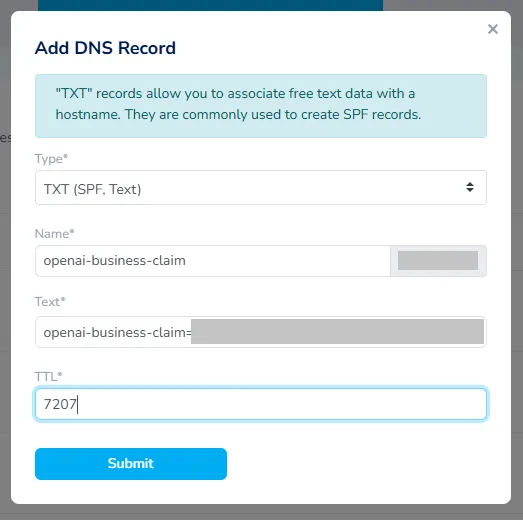
If claiming with DNS, you’ll get a TXT record to enter into your DNS provider. ChatGPT will take a short while to review the claim.
If your business isn’t on the list yet
Select “Create [BUSINESS NAME]”. You’ll be asked to choose how you primarily conduct business: through a ‘physical location’ or ‘through a website’.
If claiming through a website, enter your website’s URL. You’ll get a TXT record to enter into your DNS provider. Once confirmed, you can add your business category, more info about your business, your phone number and email for customers, delivery options, and return policy.
Alternatively, Shopify merchants can connect their store through the Shopify admin panel.
What if I can’t create a business on ChatGPT?
At the moment, ChatGPT doesn’t let users create new ‘physical location’ businesses. So for now, focus on keeping your Google Business Profile and third-party directory listings up to date. ChatGPT is more likely to add your business automatically if it can easily find consistent information.
How do I add a ChatGPT TXT record to my domain?
This process will look different based on your DNS provider, but the steps are generally the same. Your DNS provider is usually the same as your domain hosting provider (CloudFlare, GoDaddy, etc.). This example uses NameSilo.
- Sign into your DNS provider and find the domain you want to manage.
- Select “Manage DNS for this domain”.
- Click “Add DNS Record”.
- In “Name”, enter “openai-business-claim”.
- In “Text”, enter the business claim key.
- Leave TTL (time-to-live) as default and click submit.
ChatGPT Business Hub dashboard
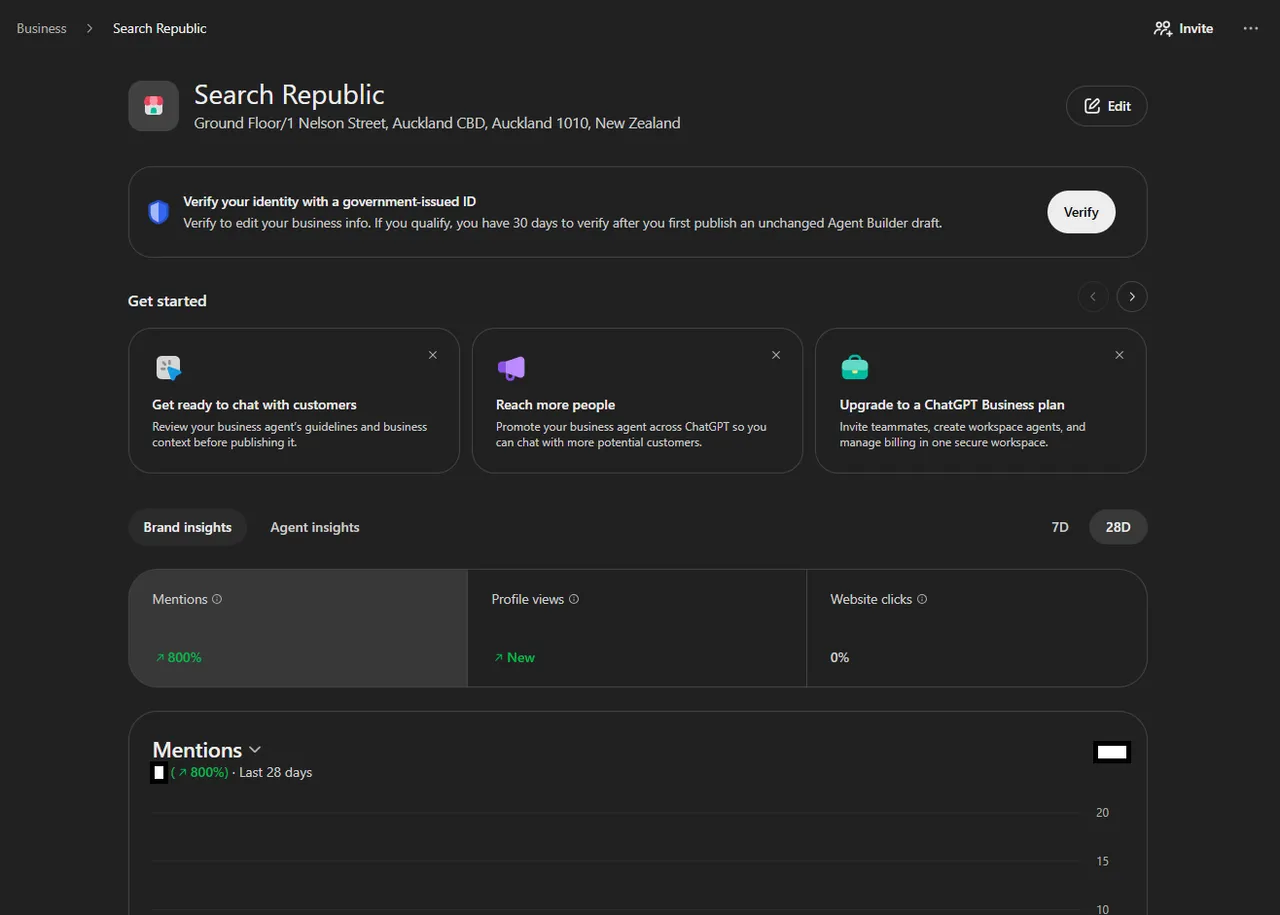
Once you’ve claimed your business, you’ll have access to the ChatGPT Business Hub dashboard. In the overview, you can:
- Edit your business information: Change address, phone number, and business type (ID verification required).
- Invite other ChatGPT users to manage the Business Hub: Currently all members will have the same access level. However, the main Business Owner is the only one who can verify their ID.
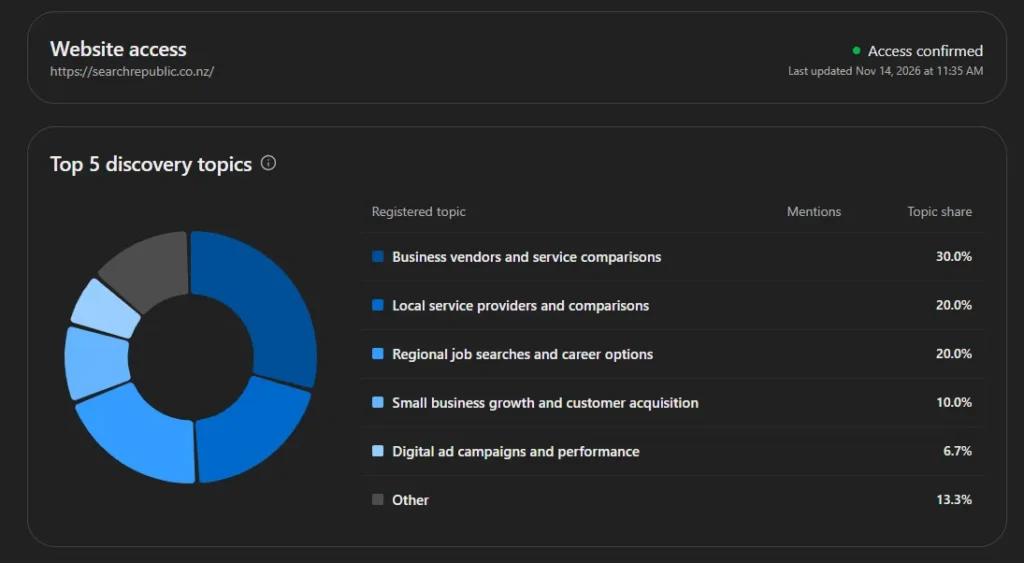
- View Brand Insights: View mentions, profile views, website clicks, and top discussion topics across a 7 or 28-day time period.
- View Agent Insights: If you are in the US and have a business agent setup, you can view conversations, multi-turn conversations, and product clicks, as well as topic discussions and how helpful the agent is.
Business Hub users can set up AI agents to interact with customers when they have questions. Agents are currently only available for eligible e-commerce and online service businesses in the US.
If you sell products through your website, you can upload your catalog or store feed.
Setting up an AI agent and adding products both require government ID verification.
Why does ChatGPT Business Hub matter?
A September 2026 study commissioned by OpenAI found that New Zealanders send almost 10 million messages to ChatGPT per day, and ChatGPT usage continues to grow each year. Now businesses finally have a way to see how their brand is appearing in those messages without using external tracking tools.
Unlike Google, which doesn’t split AI queries and regular search queries, ChatGPT gives you an idea of what kind of conversational AI topics your brand appears for. This lets you understand what users are searching for and how they’re interacting with your business — and optimise for specific topics in turn.
At the same time, the claim and verification system highlights the importance of keeping your existing online presence up to date. ChatGPT auto-generates profiles based on what already exists (likely Google Business Profiles, 3rd-party directories, and your website); editing profile info directly requires claiming the profile and verifying your ID.
Interested in AI optimisation?
Since 2013, we’ve been on top of all things search optimisation, including AI SEO. To see how we can help you improve your AI visibility in ChatGPT and other answer engines, contact us at:
📞 Book a 15-minute strategy call
For more AI SEO guides, see how to use the Google Search Console generative AI features report and how Claude’s AI watermarking works.